

THE MONTHLY FIELD NOTES /01
Eight parts. One plan for your month.
Explore every Monthly feature, including the WhatsApp assistant, flexible sign-in and data export. A place for the money coming in, the commitments ahead and the plans you want to make.
EXPLORE EACH FEATURE
Choose one and see how it works
What it does, how changes are protected and what remains under your control.
A PLACE FOR EVERYTHING 01 / 08
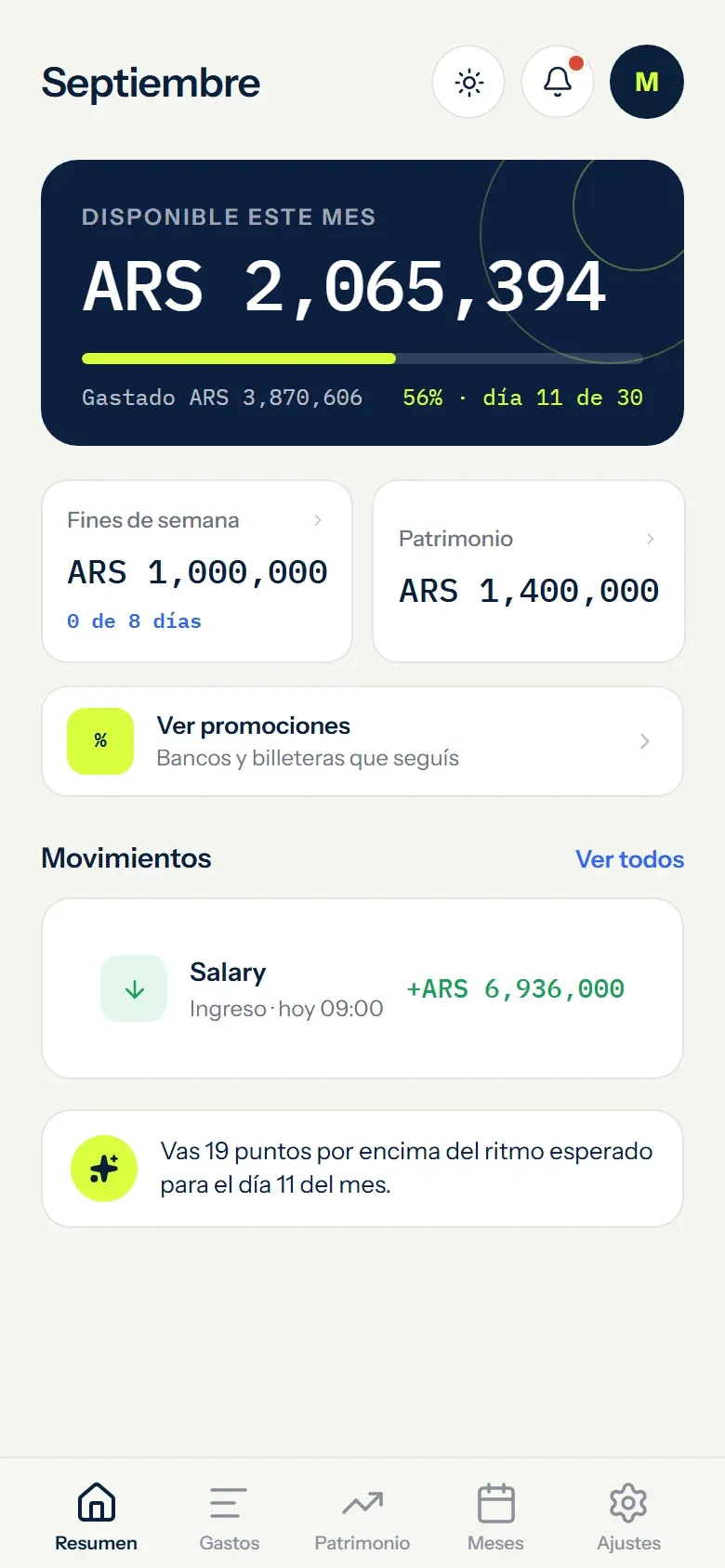
See what is left in your budget
Add your income and see what remains after planned expenses and reserves. The calculation follows your entries; it is not your bank balance.
- Updates with every movement
- Works with variable income
- Keeps a month-by-month history
EXAMPLE DATA
A PLACE FOR EVERYTHING 02 / 08
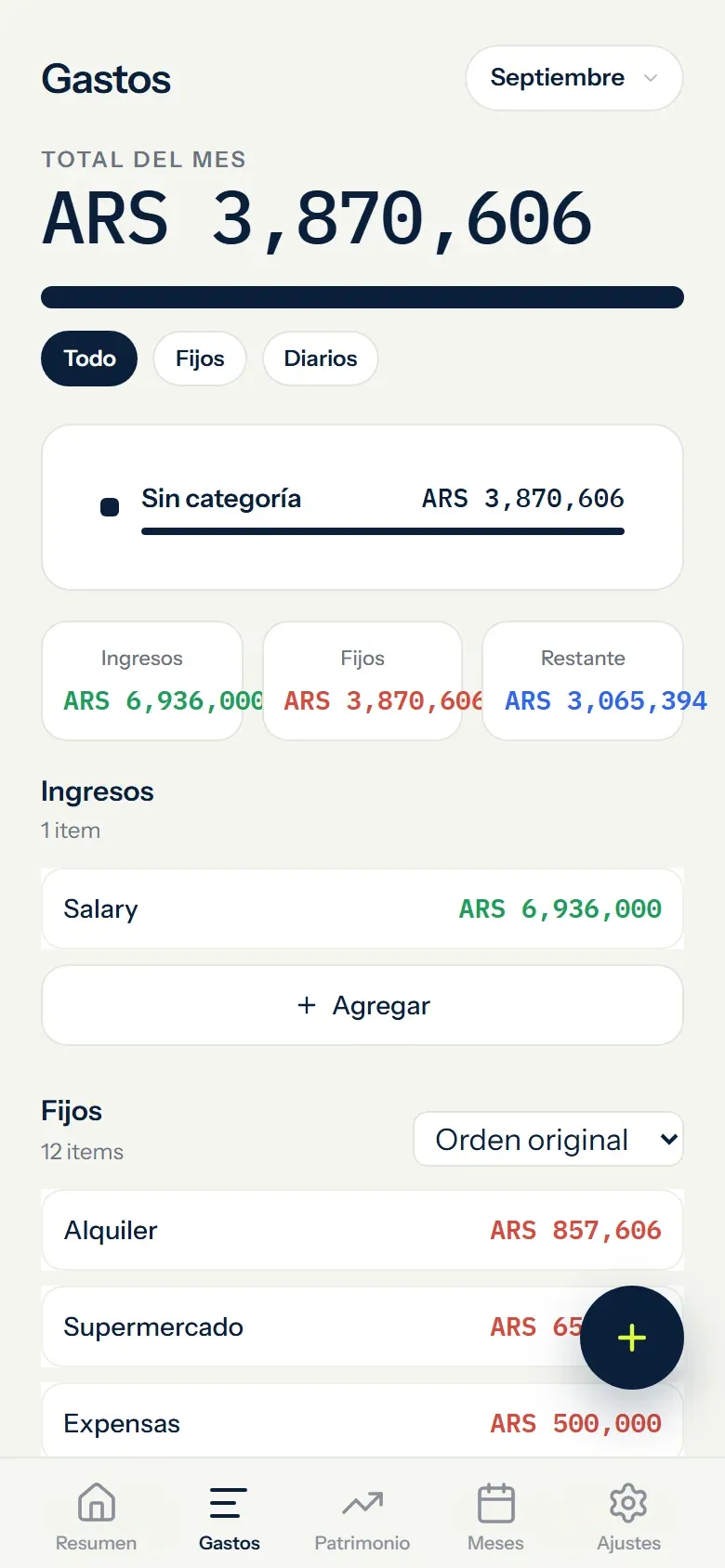
See every commitment before spending
Bills, subscriptions, instalments, categories and recurring expenses stay organised in the right month.
- Instalments progress month by month
- Recurring expenses and categories
- Configurable due-date reminders
EXAMPLE DATA
A PLACE FOR EVERYTHING 03 / 08
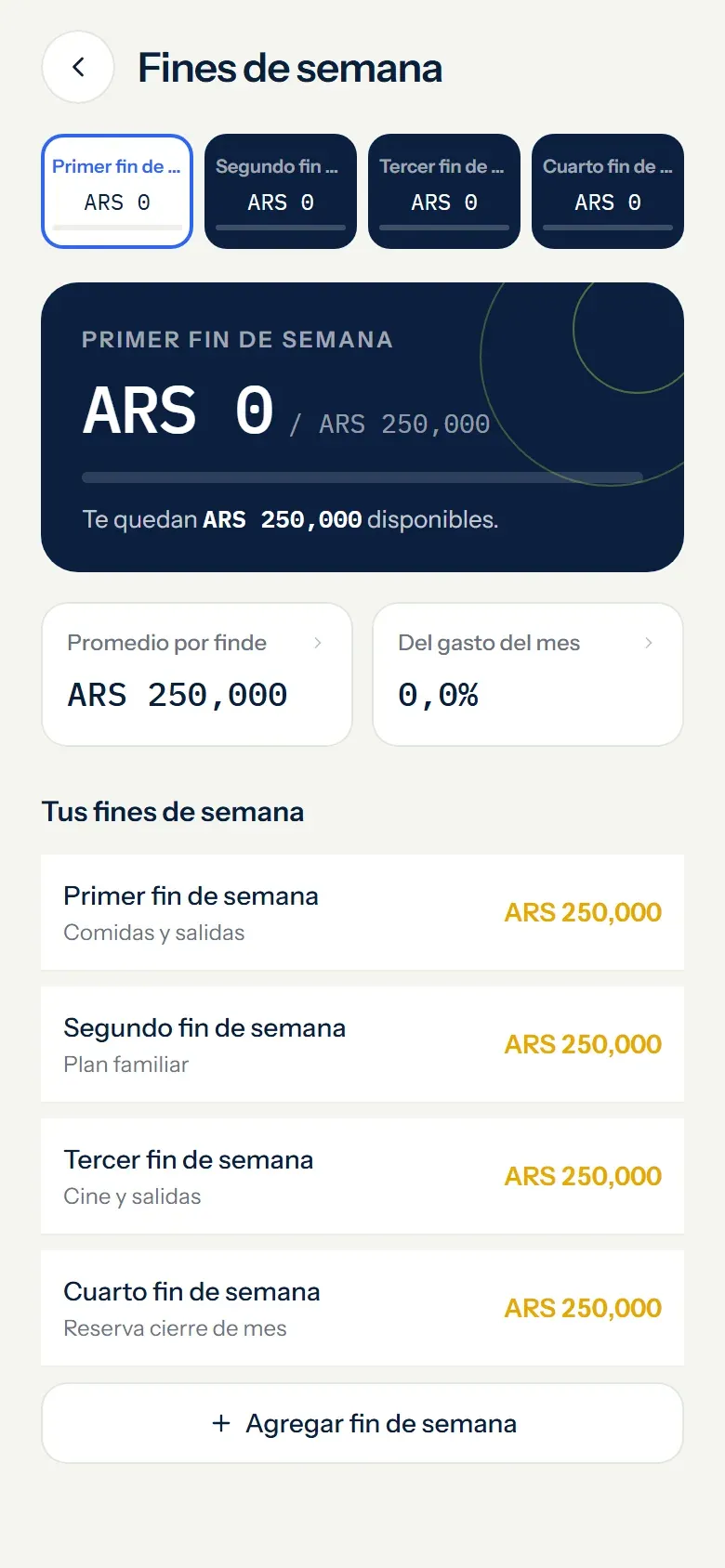
Set fun money aside from the start
Choose an amount for each weekend and Monthly holds it inside your monthly plan.
- Separate from daily spending
- Adjustable every month
- Track each weekend
EXAMPLE DATA
A PLACE FOR EVERYTHING 04 / 08
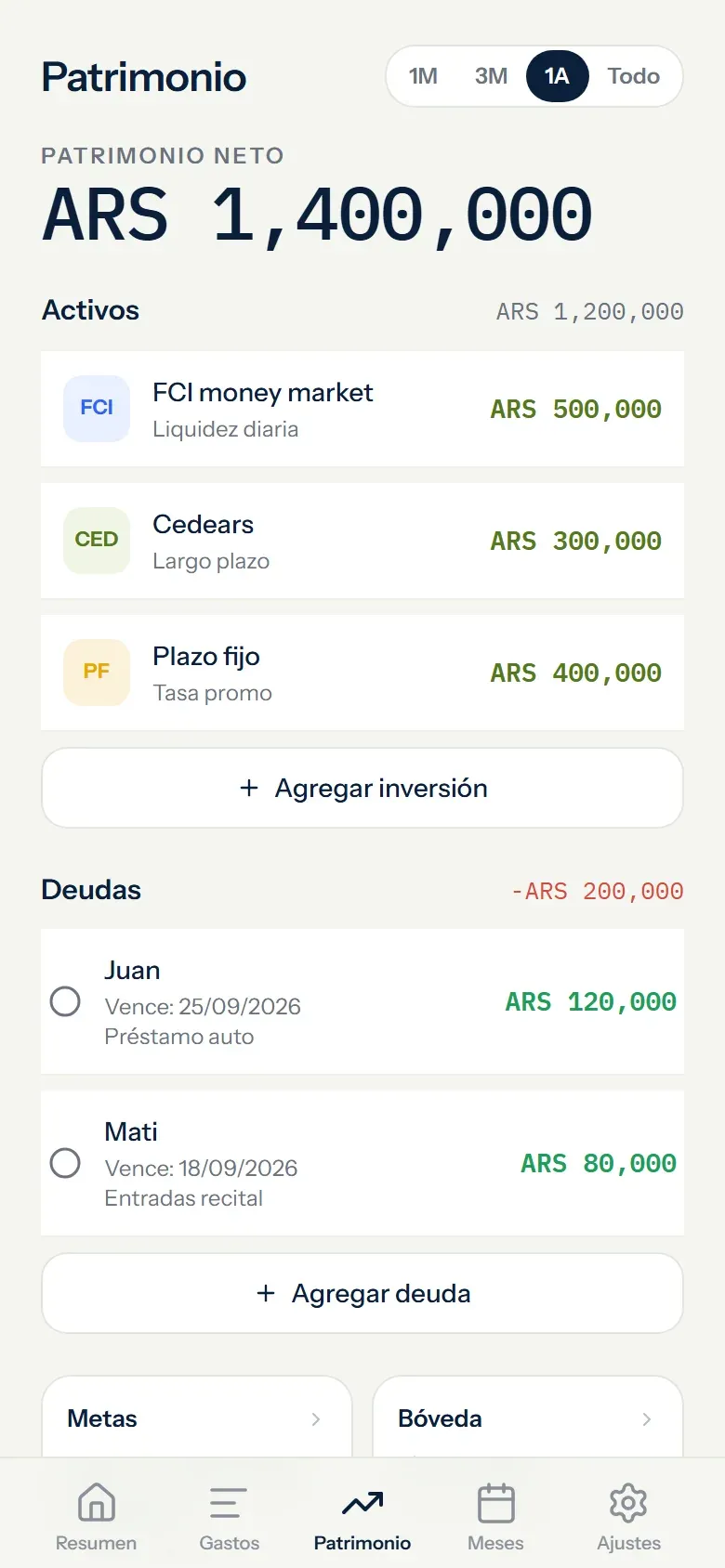
Your assets and debts, together
Track investments, assets and debt without connecting a bank or brokerage account.
- Assets and debt together
- Collection and due-date reminders
- No banking credentials
EXAMPLE DATA
A PLACE FOR EVERYTHING 05 / 08
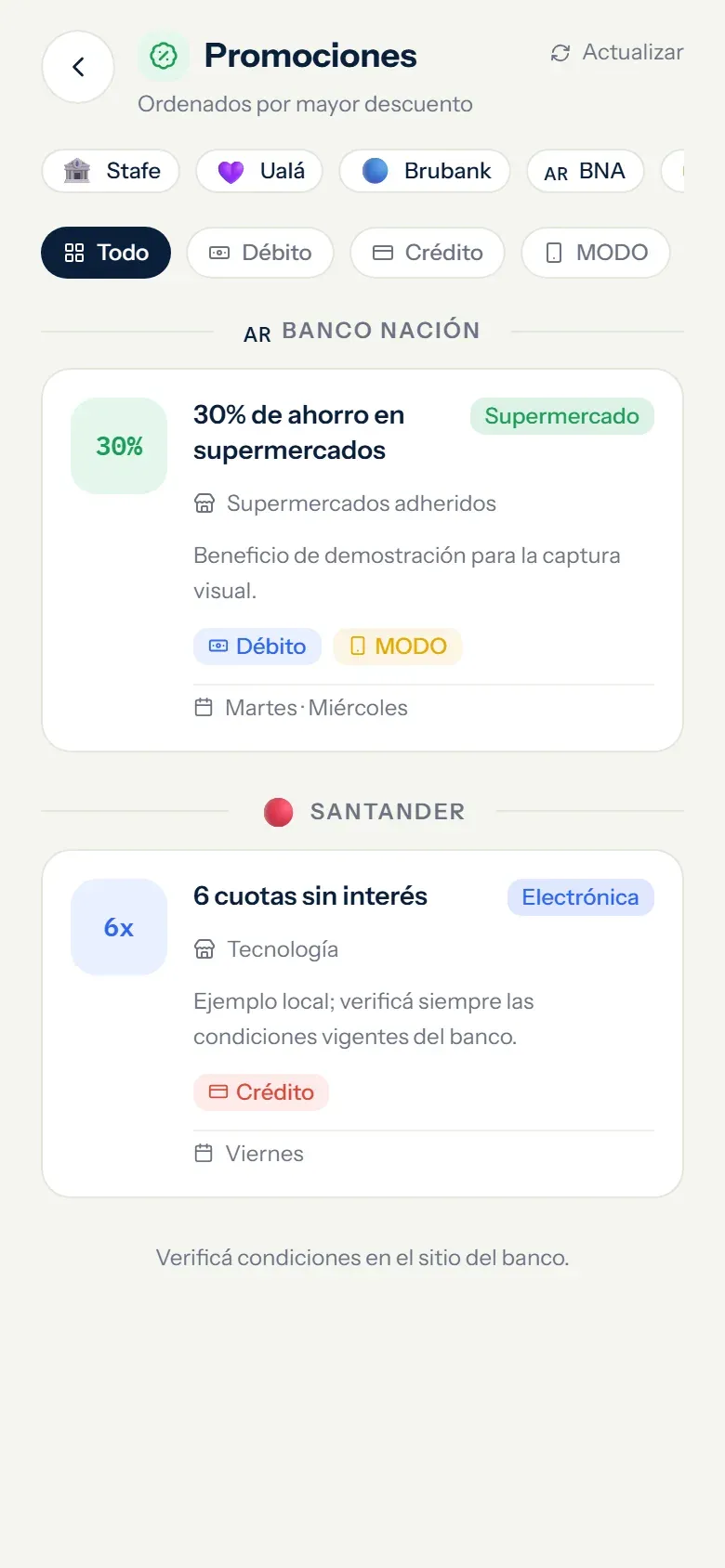
Explore offers without linking accounts
Find promotions from supported banks and wallets in Argentina. Check the provider's terms and dates before paying.
- Multiple providers together
- Promotions available in Argentina
- Zero account access
EXAMPLE DATA
A PLACE FOR EVERYTHING 06 / 08
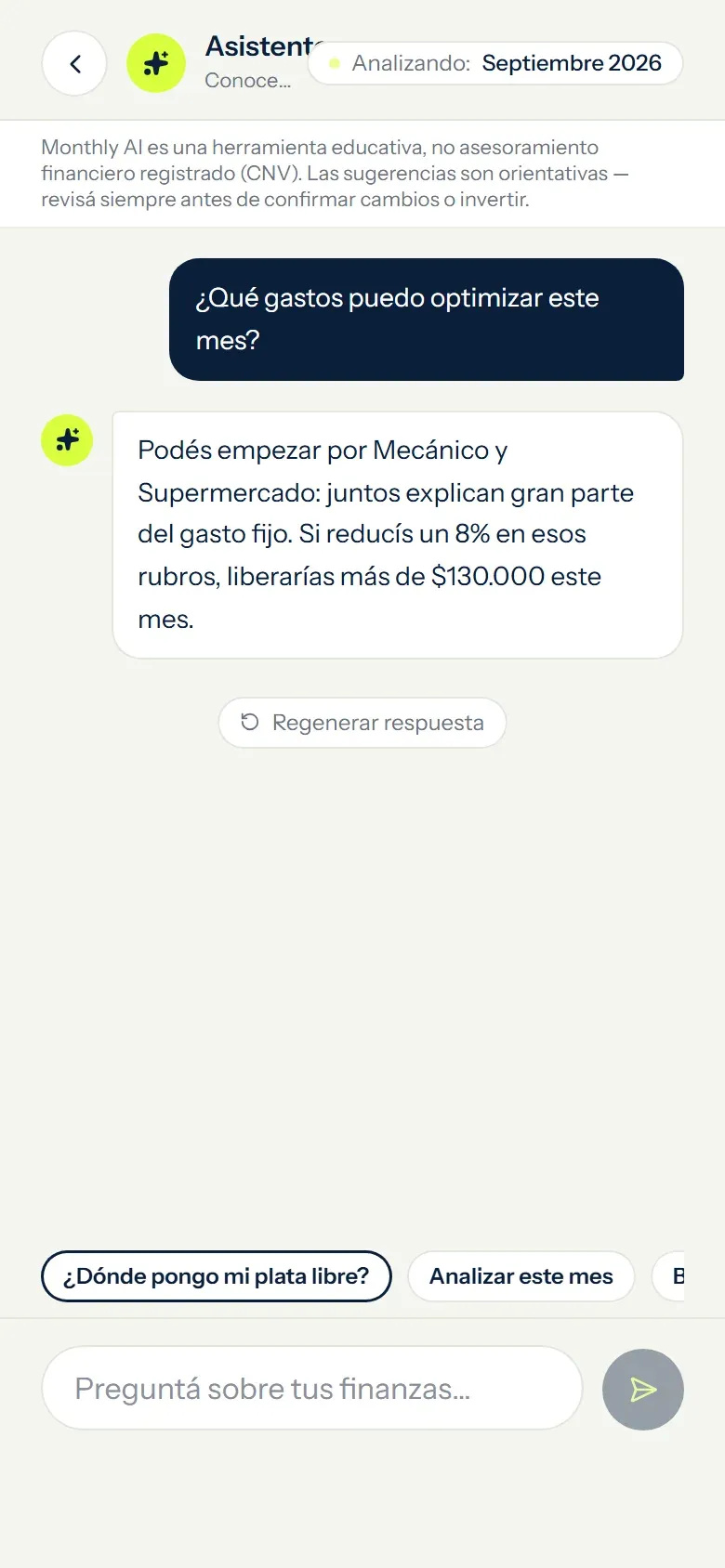
Guidance grounded in your context
With your permission, the assistant uses relevant financial context to explain the month and suggest next steps. Its output is guidance and must be checked.
- Monthly plan and net-worth context
- Clear consent and usage limits
- Not professional financial advice
EXAMPLE DATA
A PLACE FOR EVERYTHING 07 / 08
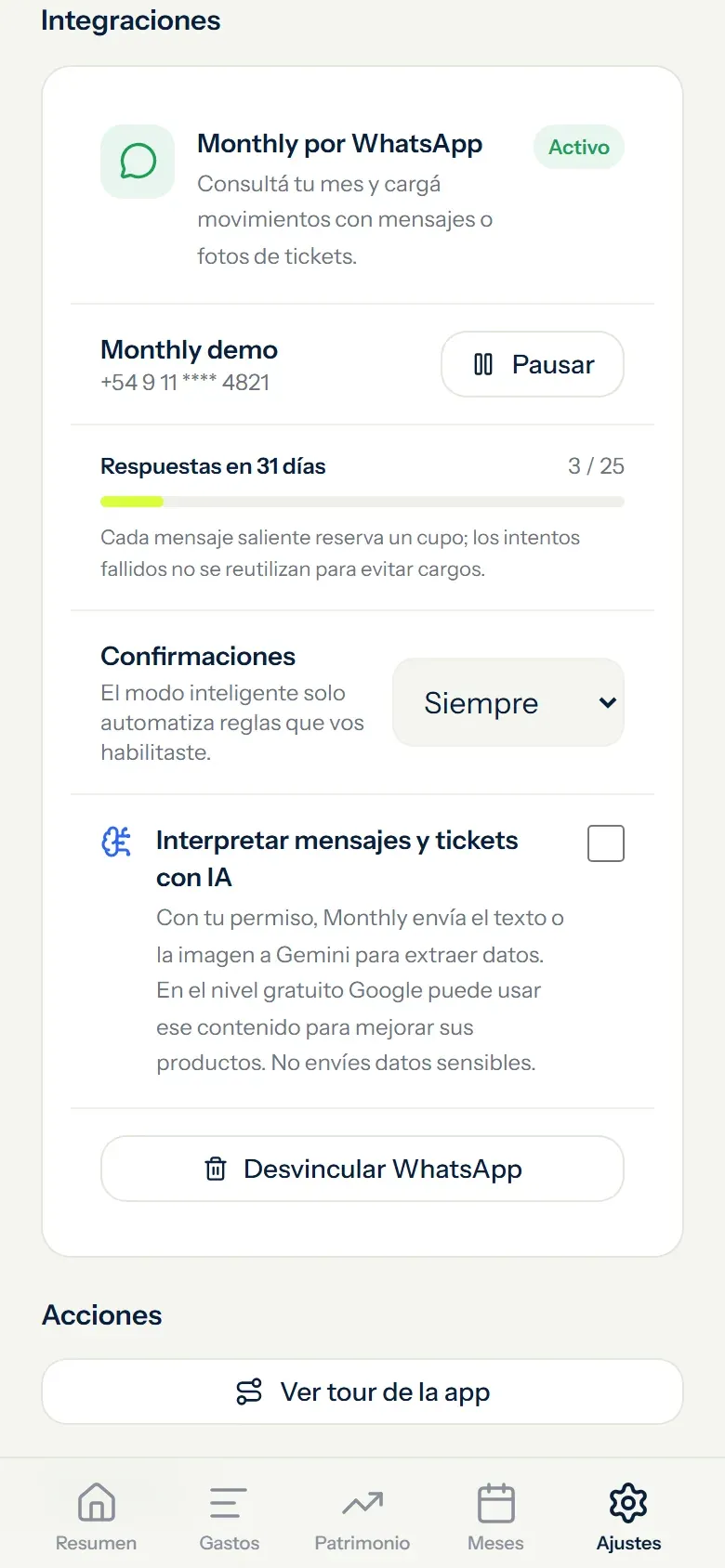
Check and update your month from chat
Write an expense and Monthly asks whether it belongs to daily spending, the weekend reserve or a fixed expense. Review close matches or open the full list before confirming.
- An explicit destination, never a guess
- Amount, concept, date and source reviewed together
- A global guard pauses the channel before it can create costs
EXAMPLE DATA
A PLACE FOR EVERYTHING 08 / 08
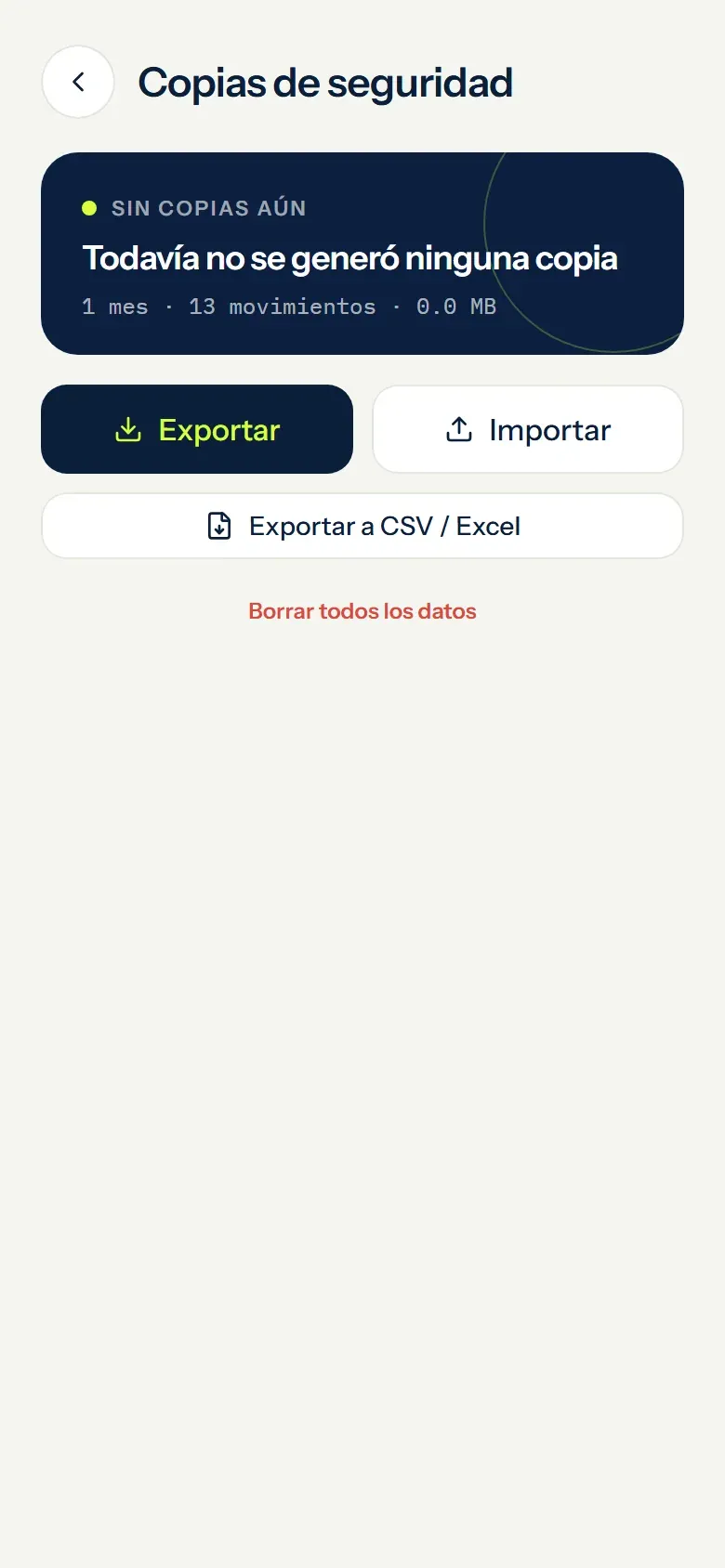
Sign in your way and take your data with you
Use Google or email and password, install Monthly like an app and export your information whenever you need it.
- Existing accounts keep their data
- Installable on mobile and available on Android
- CSV and Excel export
EXAMPLE DATA
WHY MONTHLY
A DIFFERENT VIEW OF YOUR MONTH ↙A little distance.
A clearer picture.
The number in your account tells part of the story. Your monthly plan gives your next decisions context.
BALANCE≠BUDGET
AVAILABILITY
ALONGSIDE A SPREADSHEET
A structure that is ready for your month.
A spreadsheet gives you custom formulas. Monthly gives you a ready-made monthly structure: add your entries and the budget calculation updates with your plan.
ALONGSIDE YOUR BANK APP
The month, as well as the balance.
Monthly organises the commitments and reserves you enter. It does not check your bank balance or move money; it complements the information you see at your bank.
BEYOND RECORDING EXPENSES
A plan for before you spend.
Plan income, bills and weekends, then adjust the month as things change. The optional WhatsApp channel lets you check and update your plan within its usage limits.
FAQ
Questions about Monthly's features
Is every Monthly feature free?
Yes. Monthly has no paid plan or hidden premium tier. The optional WhatsApp channel has transparent usage limits so Monthly can keep it free; the bot tells you whenever it cannot safely reply.
Do I need to connect a bank account?
No. Monthly never needs your bank credentials. You enter the information you choose and remain in control of it.
What can Monthly do on WhatsApp?
You can query your month and add, correct or remove entries through text and guided menus. When you report an expense, Monthly asks whether it belongs to daily spending, the weekend reserve or a fixed expense, suggests close matches and lets you open the full list. In the guided flow, you review the amount, concept, date and destination. Receipts always require confirmation; only high-confidence text rules you enable in Smart mode can apply automatically. Text uses local rules and receipts use OCR inside Monthly, without sending WhatsApp content to Gemini. A global guard pauses the channel before it can create costs.
Which languages does the WhatsApp assistant support?
It detects Argentine, Latin American and Mexican Spanish, plus US and UK English. If the first message is ambiguous, it asks, saves your choice and lets you change it from the menu.
Is the AI assistant financial advice?
No. AI output may be incomplete, inaccurate or outdated. It is general guidance and does not replace a qualified financial, legal, tax or accounting professional.