

Short answer: if your shared Google Sheets budget keeps breaking, pick the replacement by what the sheet was really doing. Tiller keeps the spreadsheet and adds bank feeds. YNAB and Monarch give two people one shared budget. Splitwise replaces a sheet that only tracked who owes whom. We rank Monthly first for couples and roommates who want the sheet’s real value, an agreed list of fixed expenses and each person’s share, on a phone in seconds instead of behind a re-shared link.
This is for the household that built a budget spreadsheet together, felt organized for about three weeks, and then watched it decay. One of you overwrote a formula. Someone added a row below the SUM range. The other person tried to log groceries on a phone, gave up on the tiny cells and said they’d do it later. By the end of this article you’ll know which app fits what your sheet was trying to do, and how to move only the useful part over in one evening.
How we compared them
Monthly is our own product; its first place reflects this article’s angle, mobile upkeep of shared fixed costs. We checked prices and sharing features on each competitor’s official pages and App Store listings in October 2026. We didn’t use third-party ratings, and where a page didn’t state a detail we left it out.
What your shared sheet was actually doing
Before choosing a replacement, look at your spreadsheet’s tabs. Most shared budget sheets do one or more of these jobs:
- A fixed-cost agreement: rent, utilities, insurance, subscriptions, who pays each, and each person’s share.
- A who-owes-whom ledger: running balances between people.
- A full transaction log: every purchase, categorized.
- A savings tracker: progress toward a shared goal.
The first job is the one that matters most and changes least. The third is the one that breaks the sheet, because it needs constant entry on a device that’s bad at spreadsheets. Our app vs spreadsheet guide covers this trade-off in general; here we focus on the shared case.
The ranking at a glance
| Rank | App | Replaces which job | Price (October 2026) | Both people edit one budget? |
|---|---|---|---|---|
| 1 | Monthly | Fixed-cost agreement and personal plan | Free | No, one account each |
| 2 | Tiller | Transaction log, still in a spreadsheet | $99/year after 30-day trial | Yes, via Sheets or Excel sharing |
| 3 | YNAB | Full shared budget | $109/year or $14.99/month | Yes, up to six people total |
| 4 | Monarch | Joint view of linked accounts | $99.99/year or $14.99/month | Yes, household members included |
| 5 | Splitwise | Who-owes-whom ledger | Free; Pro from $2.99 to $39.99 in-app | Yes, everyone in the group |
1. Monthly: the agreement, not the formulas

A favor
- Each person enters their share of the agreed fixed costs once; it carries into the plan
- Logging an expense on a phone takes a few taps, no cells to find
- Export to CSV or Excel if you still want a yearly sheet
- Free, no bank link
En contra
- Not a joint budget: each person has their own account
- No shared ledger of balances between people
- Manual entry
Best for: households whose sheet was mostly a fixed-cost agreement plus a lot of guilt about unlogged groceries.
The part of your spreadsheet that worked was the conversation: “rent is $2,100, I pay $1,150 and you pay $950, the internet’s on my card.” Monthly keeps that agreement and drops the formulas. Each of you enters your share of the agreed fixed costs as fixed expenses in your own account. When the internet bill changes, each person edits one line on their phone; there’s no link to re-share and no SUM range to fix.
Free money then shows each person what’s left after their side of the household. If you want the yearly overview the sheet gave you, export to CSV or Excel at the end of the year and keep the review in a spreadsheet, where spreadsheets are good.
2. Tiller: keep the sheet, stop the typing

A favor
- Automatic bank connections pull transactions into your sheet
- Foundation template and free community templates
- Shareable through Google Sheets or Excel collaboration
En contra
- $99 a year after a 30-day trial
- Tiller's help center says a shared partner can't refresh linked accounts without the subscriber's login
- You still maintain the formulas
Best for: households who like the spreadsheet and only hated the manual entry.
Tiller’s pricing page lists $99 a year after a 30-day trial. Its help article on setting up Tiller when you share expenses explains sharing through Google Sheets or Excel, notes that Excel workbooks must live in cloud storage for shared editing, and recommends sharing to a specific account rather than a link. If formulas broke your sheet, Tiller won’t fix that; if typing did, it will.
3. YNAB: one detailed budget for the whole household

A favor
- Subscription shared with up to six people in total
- Works on phones, which a shared sheet rarely does well
- 34-day free trial, no card when signing up directly
En contra
- $109 a year or $14.99 a month
- Category method requires regular upkeep from both people
- Overkill if your sheet was only a fixed-cost list
Best for: couples who used the sheet as a full category budget and want the same depth on their phones.
YNAB’s pricing page describes sharing one subscription with partners or family for up to six people. It is the closest replacement for a detailed shared sheet. It also asks for the same discipline the sheet did, now with better tools.
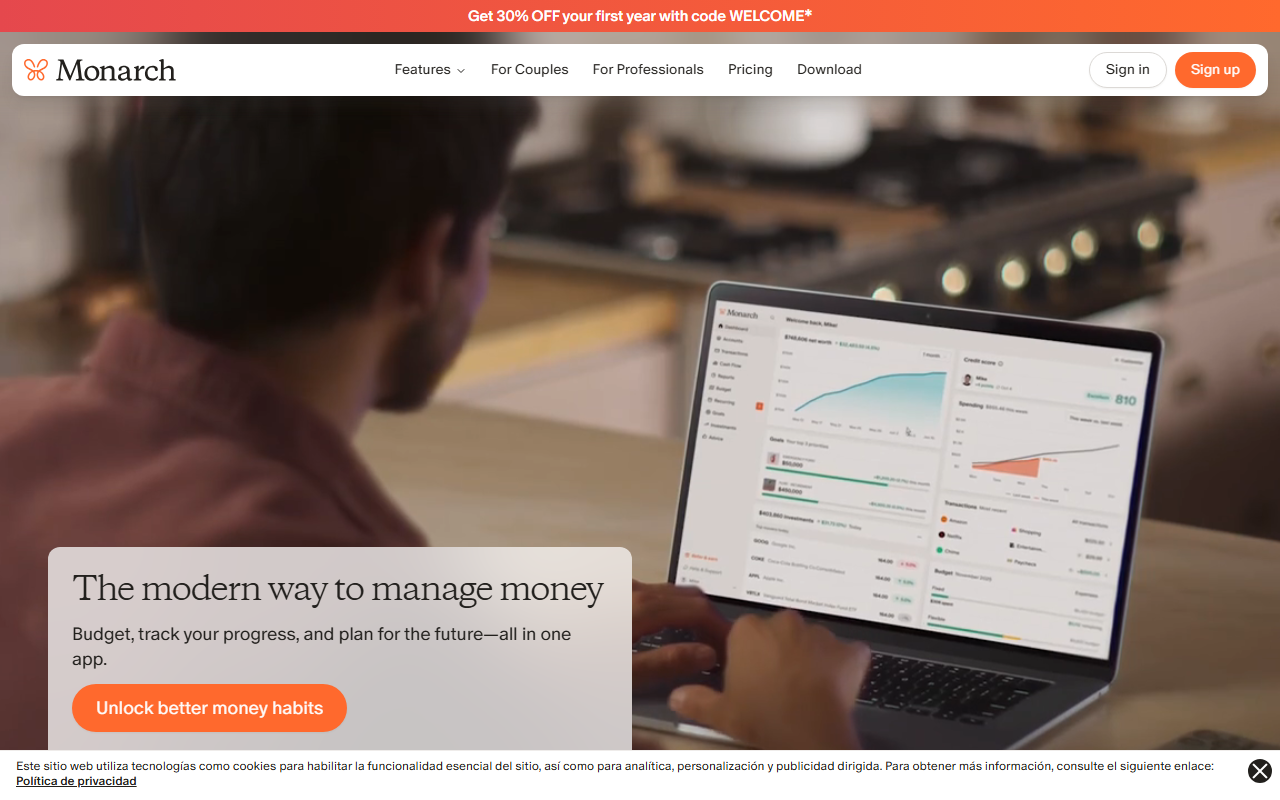
4. Monarch: a joint view without building one
A favor
- Household members added to the same subscription at no extra cost
- Combines separate and joint accounts in one view
- Each partner keeps their own login
En contra
- $99.99 a year or $14.99 a month
- Requires linking accounts
- Collaborators see all transactions in shared accounts
Best for: couples who built a sheet to see all their accounts together.
Monarch’s couples page says it costs nothing to add other members of your household and that collaborators see all accounts and transactions associated with the shared view. That replaces a manual “net worth” tab automatically, if both partners are comfortable with full visibility.
5. Splitwise: when the sheet was really a ledger

A favor
- Free version handles groups, uneven splits and recurring bills
- Debt simplification across several people
- CSV export, and Venmo/PayPal payments in the US
En contra
- Free version limits daily entries; unlimited expenses are Pro
- Charts and search are Pro
- Doesn't plan anyone's month
Best for: roommates whose sheet was a running tab.
Splitwise’s App Store listing lists recurring bills, uneven splits and debt simplification in the free version. If your sheet’s main tab was “balances,” this replaces it outright. It won’t replace the budgeting part.
A worked example: moving a couple’s sheet in one evening
The figures are illustrative. A couple’s sheet has a “Fixed” tab: rent $2,100, electricity $120, internet $70, renter’s insurance $25, streaming $30, car insurance $160 (Sam’s car only). They split shared costs 55/45 because Riley earns more.
Step 1: agree on the list. Shared costs total $2,345 (everything except Sam’s car insurance). Riley’s 55% share is $1,289.75; Sam’s 45% is $1,055.25.
Step 2: each person enters their share as fixed expenses.
| Riley | Sam | |
|---|---|---|
| Take-home income | $4,600 | $3,700 |
| Shared fixed costs (their share) | -$1,289.75 | -$1,055.25 |
| Own fixed costs (phone, loans; Sam also has car insurance) | -$410 | -$505 |
| Weekend reserve | -$300 | -$250 |
| Free money | $2,600.25 | $1,889.75 |
Step 3: leave the history in the sheet. Archive the old file as read-only. Don’t migrate two years of grocery rows.
When electricity jumps to $180 in July, the shared total rises by $60. Riley’s line goes up $33 and Sam’s $27. Each edits one entry on their phone. Nobody has to open a file, find the tab, and hope the formula still points at the right cell.
Which replacement fits your household
| Your sheet was mostly… | Replace it with |
|---|---|
| A fixed-cost agreement | Monthly, one account each |
| A transaction log you hated typing | Tiller |
| A full shared category budget | YNAB |
| A joint view of every account | Monarch |
| A running tab between roommates | Splitwise |
Roommates moving their split into an app may want to settle the formula first; our guide to splitting bills with roommates covers that. If you’re curious how logging by hand on a phone works without any bank feed, see manual expense tracking.
Mistakes when leaving a shared spreadsheet
Migrating everything. Move this month’s commitments, not the archive.
Switching without agreeing. If one person keeps the sheet alive “just in case,” you’ll have two sources of truth by next month.
Choosing by features instead of by job. A full budgeting app is wasted on a household whose sheet was a fixed-cost list.
Skipping the share math. Agree on the split percentage once and write it down; recalculating it every bill is what made the sheet fragile.
The bottom line
Your spreadsheet’s best feature was the agreement it recorded. Keep that, drop the formulas, and choose the app that matches the job your sheet was failing at. Open Monthly, add your share of rent and bills, and see what this month leaves you → This is general information, not personalized financial advice.